
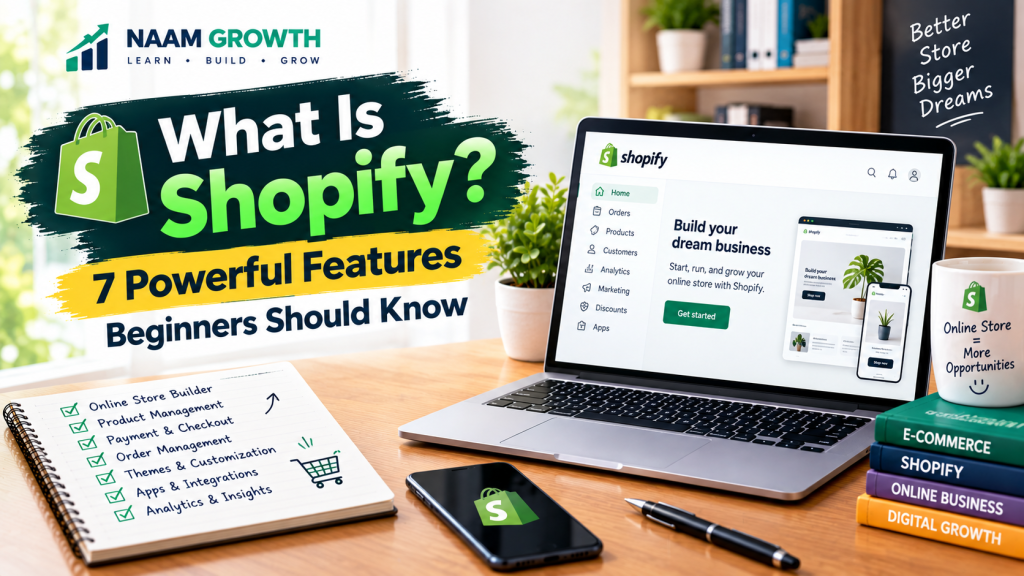
Starting an online store can seem complicated when you are new to e-commerce. You may need a website, product pages, payment options, order management, marketing tools, and a way to manage your customers.
This is where Shopify can make the process easier. But what is Shopify, and how does it actually work?
Shopify is an e-commerce platform that provides tools for creating, customizing, and managing an online store. It allows businesses and individual sellers to manage products, orders, customers, payments, store design, and other parts of an online selling operation from one platform.
In this beginner-friendly guide, we will explain what Shopify is, how it works, seven powerful features beginners should know, and the important things to consider before starting a Shopify store.
Table of Contents
- What Is Shopify?
- How Does Shopify Work?
- 7 Powerful Shopify Features Beginners Should Know
- 1. Online Store Builder
- 2. Product and Inventory Management
- 3. Payment and Checkout
- 4. Order Management
- 5. Themes and Store Customization
- 6. Apps and Integrations
- 7. Analytics and Store Insights
- How Much Does Shopify Cost?
- Benefits of Shopify for Beginners
- Things to Consider Before Using Shopify
- Shopify vs a Traditional Website
- Who Should Consider Shopify?
- Basic Steps to Start a Shopify Store
- Common Shopify Beginner Mistakes
- Final Thoughts
What Is Shopify?
Shopify is a commerce platform designed to help businesses and individuals create and manage online stores.
Instead of building every part of an e-commerce website from scratch, Shopify provides a range of built-in tools for managing products, orders, customers, store design, checkout, and other important store functions.
Shopify can be used by different types of businesses, from small online stores to larger businesses with more complex e-commerce requirements.
The platform also supports a large ecosystem of themes, apps, and integrations that can extend the functionality of a store.
If you are completely new to online marketing, you may want to start with our beginner’s guide: What Is Digital Marketing? 6 Key Areas Every Beginner Should Know .
How Does Shopify Work?
The basic idea is straightforward. You create a Shopify store, select a store design, add your products, configure important settings, and prepare the store for customers.
If you want a more detailed step-by-step guide, see our article: How to Start a Shopify Store? 7 Powerful Steps for Beginners .
A typical Shopify workflow may look like this:
- Create your Shopify account and store.
- Choose and customize a theme.
- Add products, images, descriptions, prices, and inventory.
- Configure payment and checkout settings.
- Set shipping, taxes, and other relevant store settings.
- Connect a custom domain if needed.
- Test the store before making it available to customers.
- Promote products through suitable marketing channels.
The exact setup can vary depending on the business model, location, products, payment methods, shipping arrangements, and other requirements.
7 Powerful Shopify Features Beginners Should Know
Shopify offers many tools and features. Beginners do not need to master everything immediately. Understanding the following seven areas is a useful starting point.
1. Online Store Builder
Shopify provides tools for creating the main structure of an online store. You can create pages, navigation menus, product collections, product pages, and other important parts of the customer experience.
This allows beginners to build a store without having to develop every component from scratch.
However, creating a store is only the beginning. A good e-commerce website also needs clear product information, useful content, simple navigation, trust signals, and a smooth customer journey.
A broader digital marketing strategy can help connect your store with the right audience and marketing channels. Learn more in our guide: What Is a Digital Marketing Strategy? 7 Powerful Steps for Beginners .
2. Product and Inventory Management
An online store needs a reliable way to organize its products. Shopify provides tools for adding products, prices, images, descriptions, variants, inventory information, and other product details.
For stores with multiple products, organized product management can make it easier to maintain the catalog and keep important information updated.
Product presentation is also important for e-commerce SEO and conversions. Clear titles, useful descriptions, high-quality images, and accurate product information can improve the shopping experience.
For a deeper look at product pages and e-commerce SEO, see: How to Optimize a Product Page? 7 Powerful SEO Tips for E-commerce .
3. Payment and Checkout
A store needs a way for customers to complete purchases. Shopify provides checkout functionality and supports payment integrations, although the specific payment options available can depend on the merchant’s country, business setup, and payment provider.
Before launching a store, check which payment methods are available for your location and business type.
A simple and trustworthy checkout experience can reduce unnecessary friction when customers are ready to purchase.
4. Order Management
Once customers place orders, store owners need to manage those orders efficiently.
Shopify provides tools for viewing and organizing orders and managing important order information.
Depending on the business model, additional apps or integrations may be used for fulfillment, shipping, inventory synchronization, customer communication, or other operational tasks.
5. Themes and Store Customization
The visual design of an online store can influence how customers understand and interact with a business.
Shopify themes provide pre-designed structures that can be customized to match a brand’s products, style, and customer experience.
When customizing a store, focus on:
- Clear navigation
- Readable typography
- High-quality product images
- Consistent branding
- Mobile-friendly design
- Clear calls to action
- Fast and simple shopping experience
6. Apps and Integrations
Shopify has an ecosystem of apps and integrations that can add functionality to a store.
Depending on your needs, apps may help with areas such as email marketing, reviews, customer support, analytics, product sourcing, SEO, shipping, inventory, or marketing automation.
However, installing too many apps can make a store more complicated. Beginners should choose tools based on actual business requirements rather than installing every available app.
Before installing an app, consider its purpose, cost, permissions, performance impact, reviews, and whether the functionality is genuinely needed.
7. Analytics and Store Insights
Understanding how visitors interact with your store is important for making better e-commerce decisions.
Shopify provides reporting and analytics features that can help store owners understand areas such as sales, orders, products, and customer activity.
You can also connect other analytics and marketing tools when appropriate. For example, Google Analytics can provide additional website and visitor insights when properly configured.
For beginners interested in understanding website and search performance, our guide to Google Search Console explains how the tool can help monitor search visibility, indexing, and website performance.
The goal of analytics is not simply to collect numbers. The information should help you understand what is happening and decide what to improve.
How Much Does Shopify Cost?
Shopify is a paid platform, and its pricing can vary depending on the plan, location, billing arrangement, and other factors.
Because pricing and plan features can change over time, beginners should check the current information directly on the official Shopify pricing page before choosing a plan.
In addition to the platform subscription, an online store may have other costs such as domain registration, paid themes, apps, payment processing, advertising, product sourcing, packaging, shipping, and professional services.
The total cost of running an online store therefore depends on the business model and the tools you decide to use.
Benefits of Shopify for Beginners
Shopify can be useful for beginners because it brings many e-commerce functions together within one platform.
- Relatively simple setup: Beginners can create a store without building every technical component from scratch.
- Professional store options: Themes and customization tools can help create a branded shopping experience.
- Centralized management: Products, orders, customers, and other store activities can be managed from the platform.
- Extensive ecosystem: Apps and integrations can extend store functionality.
- Scalable options: Businesses can choose different tools and workflows as their needs change.
Things to Consider Before Using Shopify
Shopify can simplify many aspects of e-commerce, but it is not a guarantee of sales or business success.
Before starting, consider the following:
- Ongoing costs: Your store may require a subscription and additional paid services.
- Payment availability: Payment options vary by location and business circumstances.
- App costs: Some useful features may require third-party apps with additional fees.
- Marketing requirements: Building a store does not automatically bring customers.
- Business operations: Product sourcing, fulfillment, customer service, returns, and shipping still need to be managed.
- Platform dependence: Businesses should understand the platform’s features, policies, pricing, and limitations before committing to it.
Shopify vs a Traditional Website
A traditional website can be built using different technologies and may require separate solutions for e-commerce functionality.
Shopify is specifically designed around commerce and provides many e-commerce functions as part of its platform.
This can make Shopify attractive to people who want to focus more on products, customers, marketing, and business operations instead of building every technical component themselves.
On the other hand, businesses with highly specialized technical requirements may need to evaluate whether Shopify’s available features and integrations meet their specific needs.
The right choice depends on the business model, budget, technical requirements, desired flexibility, and long-term plans.
Who Should Consider Shopify?
Shopify may be worth considering for different types of businesses and individual sellers who want to operate an online store.
It can be relevant for:
- New entrepreneurs starting an online store
- Small businesses expanding into e-commerce
- Brands selling physical products
- Businesses selling selected digital products or services
- Existing sellers looking for a dedicated commerce platform
- Entrepreneurs experimenting with different e-commerce models
However, the suitability of Shopify depends on your products, target market, location, budget, operational requirements, and business goals.
Basic Steps to Start a Shopify Store
If you decide that Shopify fits your needs, you can approach the process step by step.
- Define your product and target audience.
- Research competitors and the market.
- Create your Shopify store.
- Choose a suitable theme.
- Add and optimize your products.
- Configure payments, shipping, taxes, and other settings.
- Connect your domain and important tools.
- Test the customer journey before launch.
- Launch and begin promoting your store.
- Measure performance and improve the store over time.
The important thing is to avoid rushing through the setup. Check your product information, navigation, mobile experience, checkout, shipping details, policies, and customer communication before actively promoting the store.
Common Shopify Beginner Mistakes
Starting an online store is exciting, but beginners can sometimes focus too much on the visual design and overlook important business fundamentals.
- Launching without product research: A professional-looking store still needs products that have a realistic target audience.
- Using poor product images: Customers rely heavily on product presentation when shopping online.
- Writing weak product descriptions: Product information should clearly explain features, benefits, specifications, and important details.
- Installing too many apps: More apps do not automatically create a better store.
- Ignoring mobile users: Many online shoppers use mobile devices, so the store should be checked carefully on smaller screens.
- Ignoring SEO: Search optimization can help relevant customers discover your products and content through search engines. For a beginner-friendly introduction, see What Is SEO? A Beginner’s Guide to Search Engine Optimization .
- Expecting immediate sales: A store needs traffic, relevant products, trust, marketing, and continuous improvement.
Final Thoughts
So, what is Shopify? In simple terms, Shopify is an e-commerce platform that provides tools for creating and managing an online store.
For beginners, its biggest advantage is that many important e-commerce functions can be managed through one platform. You can build your store, add products, manage orders, configure checkout, customize the design, connect apps, and review store performance.
But a successful e-commerce business requires more than a platform. Product research, customer understanding, pricing, branding, marketing, customer service, fulfillment, and continuous optimization all play important roles.
If you are planning to start an online store, begin with a clear business idea and target audience. Then build a simple store, test the customer experience, measure what happens, and improve based on what you learn.
You can also use keyword research to understand what potential customers are searching for and to improve your product and content strategy.
In our next e-commerce guide, we will explore another popular online business model: dropshipping, including how it works, its advantages, challenges, and what beginners should understand before starting.
Ready to Learn More About E-commerce?
Explore more practical guides on e-commerce, Shopify, digital marketing, SEO, and growth strategy from NAAM Growth.
Explore More ArticlesNext: Learn how to start a Shopify store step by step: How to Start a Shopify Store? 7 Powerful Steps for Beginners .