
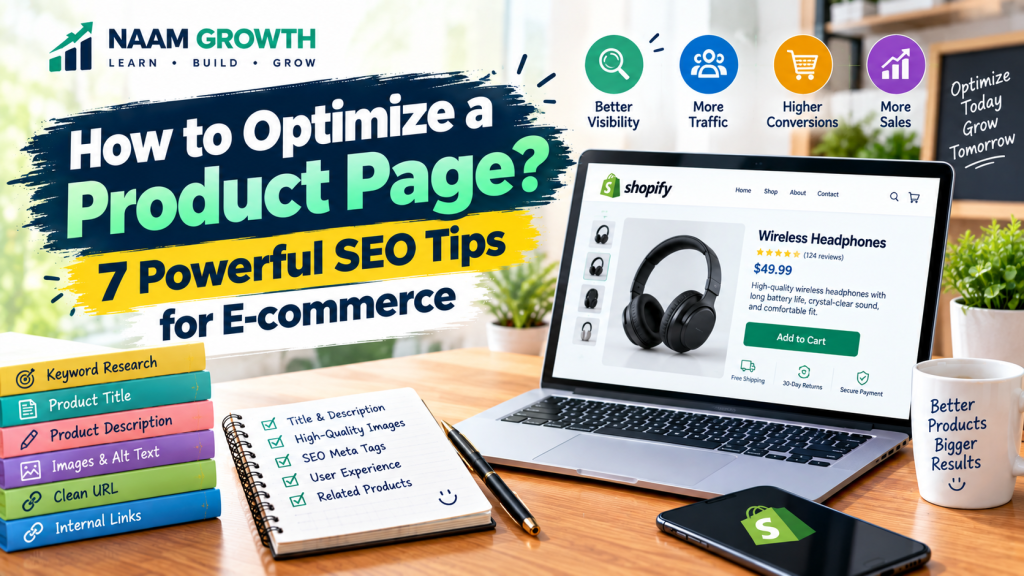
A product page is one of the most important parts of an e-commerce website. It is where visitors learn about a product, evaluate its benefits, check important details, and decide whether to make a purchase.
Even if you have great products and a professional online store, poorly optimized product pages can make it difficult for customers to understand your offers and find them through search engines.
This is where product page optimization becomes important. By improving your product titles, descriptions, images, keywords, structure, and user experience, you can create product pages that are more useful for both customers and search engines.
In this guide, we will explore seven practical SEO tips that beginners can use to optimize e-commerce product pages.
Table of Contents
- 1. Choose the Right Product Keyword
- 2. Create a Clear Product Title
- 3. Write a Useful Product Description
- 4. Optimize Product Images
- 5. Create a Clean Product URL
- 6. Improve Trust and User Experience
- 7. Use Internal Links and Related Products
- How Product Page Optimization Works on Shopify
- Common Product Page Optimization Mistakes
- Product Page SEO Checklist
- Final Thoughts
1. Choose the Right Product Keyword
The first step in product page optimization is understanding what your potential customers are searching for.
A product keyword is the search phrase people may use when looking for a particular product. Choosing a relevant keyword helps you create content that matches the searcher’s needs.
For example, instead of targeting only a broad term such as “baby products,” a store selling a specific item may target a more descriptive phrase related to the exact product.
When selecting keywords, consider:
- Product relevance
- Search intent
- Search demand
- Competition
- Specific product characteristics
Do not choose keywords simply because they have high search volume. The keyword should accurately describe the product you are offering.
If you are new to keyword research, read our guide on Keyword Research for Beginners to understand how to find and evaluate relevant search terms.
For a broader understanding of how search optimization works, you can also read What Is SEO? A Beginner’s Guide to Search Engine Optimization .
2. Create a Clear Product Title
Your product title helps both customers and search engines understand what the product is.
A good product title should be clear, specific, and natural. Avoid adding unnecessary keywords simply to make the title longer.
Depending on the product, a useful title may include:
- Product name
- Product type
- Important feature
- Material
- Size or quantity
- Relevant model or version
For example, instead of a vague title such as “Amazing Toy,” a more descriptive title could explain what type of toy it is and who it is designed for.
Clear titles help visitors quickly understand what they are looking at.
3. Write a Useful Product Description
A product description should answer the questions a customer is likely to have before making a purchase.
Do not simply copy the supplier’s description. Create useful, original content that explains the product from the customer’s perspective.
A strong product description can include:
- What the product is
- Who it is suitable for
- Main features
- Key benefits
- Materials or specifications
- How to use the product
- Care or maintenance information
- Important limitations or requirements
Try to explain benefits as well as features. A feature describes what a product has, while a benefit explains how that feature can help the customer.
Use headings, short paragraphs, and bullet points so visitors can scan the information easily.
Good product descriptions are also part of on-page SEO , because useful content, headings, page structure, and other on-page elements help make a page clearer for both users and search engines.
4. Optimize Product Images
Images are extremely important in e-commerce because customers cannot physically examine the product before purchasing it online.
Use clear, high-quality images that show the product from useful angles.
Whenever possible, include:
- Multiple product angles
- Close-up images
- Product-in-use images
- Size or dimension information
- Relevant product details
Image file names and alternative text can also provide useful context to search engines and users who rely on accessibility tools.
For example, a descriptive image file name is generally more useful than a generic filename such as “IMG1234.jpg.”
However, avoid keyword stuffing in image alt text. Describe the actual image naturally and accurately.
5. Create a Clean Product URL
A clean and understandable URL can make your product pages easier to organize and share.
For example, a URL based on the product name is generally easier to understand than a URL containing unnecessary numbers, parameters, or random characters.
When creating product URLs:
- Keep them short and descriptive
- Use relevant words
- Avoid unnecessary characters
- Use hyphens between words
- Avoid changing URLs unnecessarily after publication
If an existing product URL must be changed, make sure the appropriate redirect is configured so visitors and search engines can reach the correct page.
For a broader understanding of website structure, crawling, indexing, and technical website optimization, see our guide: What Is Technical SEO? 7 Powerful Basics Every Beginner Should Know .
6. Improve Trust and User Experience
SEO can help people discover a product page, but the page still needs to give visitors enough confidence to take the next step.
A professional product page should make important information easy to find.
Depending on your business, consider clearly displaying:
- Price
- Product availability
- Shipping information
- Estimated delivery time
- Return and refund policy
- Payment options
- Product specifications
- Frequently asked questions
- Customer reviews, when available
Mobile usability is also important because many e-commerce visitors use smartphones.
Make sure buttons are easy to tap, text is readable, images load properly, and customers can move through the purchasing process without unnecessary friction.
7. Use Internal Links and Related Products
Internal links connect different pages within your website. They can help visitors discover related information and products while also helping search engines understand the structure of your website.
For example, a product page could link to:
- Related products
- Relevant product collections
- Buying guides
- Helpful blog articles
- Frequently asked questions
Related product sections can also help customers discover additional items that may be relevant to their needs.
If you are building your store with Shopify, our guide What Is Shopify? 7 Powerful Features Beginners Should Know explains the platform and its main e-commerce features.
If you are starting a Shopify store from scratch, you can also follow our step-by-step guide: How to Start a Shopify Store? 7 Powerful Steps for Beginners .
Internal linking should always be useful and relevant. Avoid adding links simply to increase the number of links on a page.
How Product Page Optimization Works on Shopify
Shopify provides several built-in options for creating and managing product pages. Store owners can add product titles, descriptions, images, prices, inventory information, and other details.
When optimizing a Shopify product page, pay attention to the complete customer experience rather than focusing only on SEO.
For more information about how Google understands product information, see the official Google Search Central guide to Product structured data .
A practical Shopify product page optimization process can include:
- Research the target keyword.
- Create a clear product title.
- Write an original product description.
- Upload useful, high-quality images.
- Review the product URL.
- Check SEO title and meta description.
- Review the mobile experience.
- Test the purchasing process.
Shopify can help with the technical side of running an online store, but the quality of your product information and customer experience still depends on how you build and manage your store.
For a broader view of how different digital channels can work together, see: What Is a Digital Marketing Strategy? 7 Powerful Steps for Beginners .
Common Product Page Optimization Mistakes
Many beginners make simple mistakes when creating product pages. These mistakes can affect both user experience and search visibility.
Common problems include:
- Using very short product descriptions
- Copying supplier descriptions
- Using unclear product titles
- Uploading poor-quality images
- Ignoring mobile users
- Using excessive keywords
- Missing important product information
- Not explaining shipping or return policies
- Using confusing URLs
- Ignoring related products and internal links
Fixing these basic issues can make a product page more useful and easier to understand.
Product Page SEO Checklist
Before publishing a product page, use this quick checklist:
- ✓ Target keyword selected
- ✓ Clear and descriptive product title
- ✓ Original product description
- ✓ Benefits and features explained
- ✓ High-quality product images
- ✓ Descriptive image alt text
- ✓ Clean product URL
- ✓ SEO title and meta description reviewed
- ✓ Shipping and return information available
- ✓ Mobile experience checked
- ✓ Relevant internal links added
- ✓ Related products considered
- ✓ Checkout process tested
If you are using Google Search Console to monitor your website, you can also learn more about it in our guide: What Is Google Search Console? 7 Powerful Features for SEO .
Final Thoughts
Product page optimization is an important part of e-commerce SEO and online store management. A well-optimized product page should not only help search engines understand the product but also give customers the information they need to make informed decisions.
Start with the basics: choose relevant keywords, write useful product descriptions, use high-quality images, create clear URLs, improve the user experience, and connect related pages through helpful internal links.
Do not try to optimize everything at once. Improve your product pages step by step, monitor performance, and use real customer behavior and feedback to guide future improvements.
If you are building a Shopify store from scratch, you can also read our guide on How to Start a Shopify Store for a practical step-by-step approach.
Keep learning, keep testing, and keep improving.
NAAM Growth
Digital Marketing • E-commerce • Growth