
Table of Contents
- What Is Technical SEO?
- Why Does Technical SEO Matter?
- 1. Make Your Website Crawlable
- 2. Make Important Pages Indexable
- 3. Create and Submit an XML Sitemap
- 4. Use a Mobile-Friendly Website
- 5. Improve Website Speed and Performance
- 6. Use Clean and Descriptive URLs
- 7. Use HTTPS and Maintain Website Security
- Technical SEO vs. On-Page SEO
- Common Technical SEO Mistakes
- Technical SEO Checklist for Beginners
- Final Thoughts
If you want your website to perform well in search engines, creating useful content is not the only thing you need to consider. Search engines also need to be able to access, crawl, understand, and index your website properly.
This is where technical SEO becomes important. Technical SEO focuses on the technical aspects of a website that can affect how search engines discover and process its pages and how easily visitors can use the site.
In this beginner-friendly guide, we will explain what technical SEO is and cover 7 essential basics that every website owner should understand.
What Is Technical SEO?
Technical SEO refers to improving the technical structure and performance of a website so that search engines can efficiently crawl and index its content and users can access the website easily.
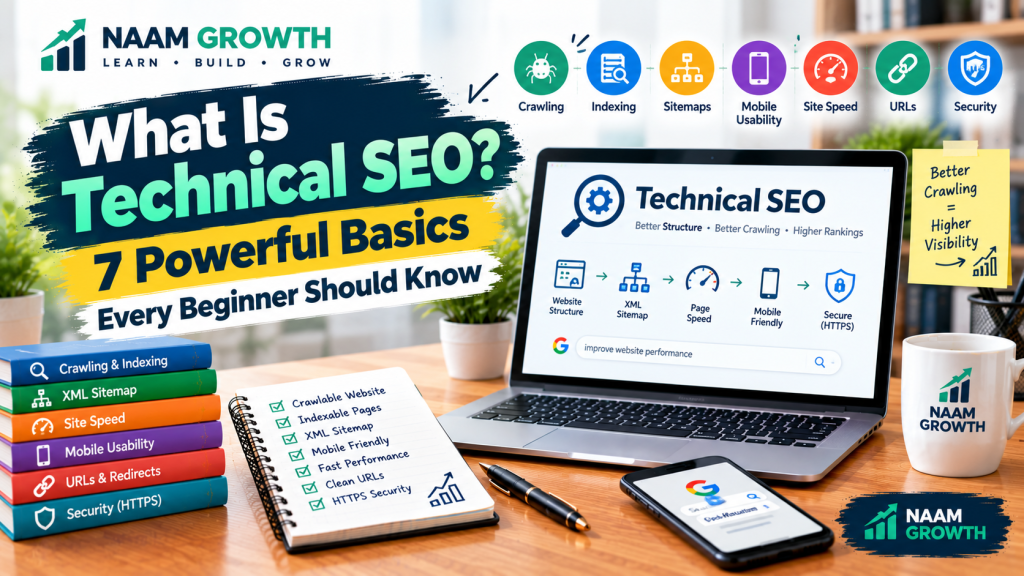
Technical SEO can involve areas such as crawling, indexing, website architecture, XML sitemaps, mobile usability, page performance, URLs, redirects, HTTPS, and other technical elements.
Unlike content-focused SEO, technical SEO is generally less about what you write and more about how your website is built, organized, and made accessible.
Technical SEO is one part of the broader SEO process. It works alongside content optimization, keyword research, internal linking, and other SEO activities.
Google provides official guidance about how search engines crawl, index, and serve webpages through Google Search Central.
Why Does Technical SEO Matter?
Imagine creating an excellent article but making it difficult for search engines to discover or access the page. The quality of the content alone cannot solve every technical problem.
A technically healthy website can make it easier for search engines to discover important pages and understand the structure of your site.
Technical SEO can also contribute to a better user experience by improving areas such as website accessibility, mobile usability, loading performance, and navigation.
Technical SEO also works closely with on-page SEO. While technical SEO focuses more on the technical foundation of a website, on-page SEO focuses on the content and page-level elements visitors interact with.
Let’s look at seven important technical SEO basics.
1. Make Your Website Crawlable
Search engines use automated systems to discover and crawl webpages. If important pages cannot be accessed by search engine crawlers, those pages may have difficulty appearing in search results.
Your website should have a logical structure that allows search engines and visitors to move between important pages.
Internal links are useful for this purpose. For example, your on-page SEO guide can link to related SEO resources, helping visitors discover more information.
You should also pay attention to technical issues that may unintentionally prevent crawling, such as incorrect robots.txt rules, broken links, or problematic redirects.
A well-planned digital marketing website should also make important pages easy for both users and search engines to discover.
2. Make Important Pages Indexable
Crawling and indexing are not exactly the same thing.
Crawling is the process of discovering and accessing a webpage, while indexing is the process of analyzing and storing information about a page so that it can potentially appear in search results.
Not every page on a website necessarily needs to be indexed. For example, some administrative or duplicate pages may not be useful in search results.
However, your important pages should not accidentally contain settings that prevent search engines from indexing them.
You can use Google Search Console to inspect individual URLs and identify certain indexing-related issues. Our Google Search Console guide explains the tool in more detail.
3. Create and Submit an XML Sitemap
An XML sitemap is a file that provides information about important URLs on your website.
A sitemap can help search engines discover pages, especially when a website has many URLs or a complex structure.
For many WordPress websites, SEO plugins can automatically generate an XML sitemap.
After creating a sitemap, you can submit it through Google Search Console.
For example, a typical WordPress sitemap may be available at an address similar to:
https://example.com/sitemap_index.xml
The exact sitemap URL depends on your website and the SEO tools you use.
If you want to understand more about monitoring your sitemap and indexing status, see our guide on Google Search Console.
4. Use a Mobile-Friendly Website
A large number of people access websites using smartphones and other mobile devices. Therefore, your website should work properly across different screen sizes.
A mobile-friendly website should have:
- Readable text
- Easy-to-use navigation
- Buttons and links that are easy to tap
- Responsive layouts
- Content that fits smaller screens
- Images that display properly on mobile devices
Before publishing a page, check how it looks on both desktop and mobile devices.
5. Improve Website Speed and Performance
Website performance can affect the experience visitors have when using your site. Slow pages can make it harder for users to access information quickly.
Some practical ways to improve performance include:
- Compressing large images
- Using appropriate image formats
- Reducing unnecessary plugins and scripts
- Using reliable web hosting
- Keeping WordPress and plugins updated
- Using caching where appropriate
Performance optimization should focus on real user experience rather than simply trying to achieve a perfect score in every testing tool.
Image optimization is also an important part of on-page SEO. Our guide on On-Page SEO covers practical ways to optimize page elements, including images and content.
6. Use Clean and Descriptive URLs
A clear URL structure makes it easier for users to understand what a page is about.
For example:
Good:
https://example.com/technical-seo/
Less descriptive:
https://example.com/page?id=2847
A good URL is generally short, descriptive, and related to the page topic.
Avoid changing URLs unnecessarily. If you need to change an existing URL, make sure the appropriate redirect is configured so visitors and search engines can reach the new location.
For e-commerce websites, clean URLs can also help organize product and category pages alongside other optimization practices such as product page optimization.
7. Use HTTPS and Maintain Website Security
HTTPS encrypts the connection between a visitor’s browser and your website. It is an important part of maintaining a secure website.
Make sure your website uses a valid SSL certificate and loads correctly through HTTPS.
You should also keep your website software, themes, plugins, and other components updated and use strong authentication practices.
Website security is not only a technical consideration. A compromised website can create serious problems for both visitors and the website owner.
Technical SEO vs. On-Page SEO
Technical SEO and on-page SEO are related, but they focus on different areas.
| Technical SEO | On-Page SEO |
|---|---|
| Crawling and indexing | Content optimization |
| XML sitemaps | Headings |
| Website performance | Keywords |
| Mobile usability | Images and alt text |
| HTTPS and redirects | Internal linking and content structure |
In simple terms, technical SEO helps make the website accessible and understandable from a technical perspective, while on-page SEO focuses more directly on the content and elements of individual pages.
Both areas can work together as part of a broader digital marketing strategy.
Common Technical SEO Mistakes
Beginners often overlook technical SEO because many technical issues are less visible than content problems.
Some common mistakes include:
- Accidentally blocking important pages from crawling
- Using incorrect noindex settings
- Ignoring broken links
- Having multiple unnecessary URL versions
- Forgetting to maintain an XML sitemap
- Using very large unoptimized images
- Ignoring mobile usability
- Allowing outdated plugins or software to remain active
- Changing URLs without proper redirects
You do not need to become a professional developer to understand the basics. Start with the most important technical elements and gradually learn more as your website grows.
Technical SEO Checklist for Beginners
Here is a simple checklist you can use when reviewing your website:
- ✓ Website loads using HTTPS
- ✓ Important pages can be crawled
- ✓ Important pages are indexable
- ✓ XML sitemap is available
- ✓ Sitemap is submitted to Google Search Console
- ✓ Website works well on mobile devices
- ✓ Important pages load efficiently
- ✓ URLs are clear and descriptive
- ✓ Broken links are reviewed
- ✓ Redirects are configured when URLs change
- ✓ WordPress, themes, and plugins are kept updated
Final Thoughts
Technical SEO is an important part of building a search-friendly website. It helps search engines access, crawl, understand, and process your website while also supporting a better experience for visitors.
For beginners, you do not need to master every technical SEO concept at once. Start with the fundamentals:
- Make your website crawlable
- Keep important pages indexable
- Create and submit an XML sitemap
- Make your website mobile-friendly
- Improve website performance
- Use clean URLs
- Use HTTPS and maintain website security
Once these fundamentals are in place, you can gradually move into more advanced areas such as structured data, canonical URLs, JavaScript SEO, Core Web Vitals, international SEO, and advanced crawling analysis.
If you are continuing your SEO learning journey, start with our Keyword Research for Beginners, then explore On-Page SEO and Google Search Console.
Ready to Build a Better Website?
Start with the basics, check your website regularly, and improve one technical area at a time.
Keep learning. Keep testing. Keep growing with NAAM Growth.